WiFi smart bulbs are a game changer for your home lighting. Connecting them to your network is usually a simple process. You just need to follow a few steps, and you’ll be basking in the glow of smart lighting in no time.
First, make sure your WiFi is up and running. Most smart bulbs work on a 2.4 GHz network, so check your router settings if you're having trouble. Once you've got that sorted, screw in your smart bulb and power it on. Many bulbs will blink or flash to let you know they're ready to connect.
Next, download the app that corresponds with your smart bulb. Most brands have their own app where you'll manage everything. Open the app, create an account if you don't have one already, and follow the on-screen instructions to add your new bulb.
During the setup, the app will prompt you to enter your WiFi info. Make sure you input it correctly since the bulb needs a solid connection. Once you’ve done that, the app will search for the bulb and establish the connection.
After the connection is made, you can start controlling your smart bulb right from the app. Change colors, dim the lights, and set schedules all from your phone! It’s pretty neat how tech can make something as simple as lighting so much smarter.
The Technology Behind Smart Lighting
Smart lighting is nothing short of amazing. It lets you control your lights from your smartphone, tablet, or voice assistant. But how does it all work behind the scenes? Let’s break it down.
At the heart of smart lighting is Wi-Fi technology. These bulbs connect directly to your home Wi-Fi network, which means you don’t need a separate hub. Just screw in the bulb, download the app, and you’re ready to go. The app allows you to turn lights on or off, adjust brightness, and change colors—all from your phone. That’s pretty convenient, right?
Many smart bulbs also use a protocol called Zigbee or Z-Wave, which is designed for low-power devices. This means they can communicate with each other and create a network in your home. So, if you have multiple bulbs, they work together seamlessly. You can set schedules, group them, or even link them to your smart home system to work with other devices.
Another cool feature of smart bulbs is their integration with voice assistants like Amazon Alexa or Google Assistant. Just ask your assistant to dim the lights or change the color, and it’s done! This hands-free control can make life so much easier, especially when your hands are full.
Smart lighting technology keeps evolving, and newer features like motion sensors or syncing with music are becoming popular. This means you’re not just lighting up a room; you’re creating an atmosphere. With smart lights, you can really set the mood for any occasion!
Setting Up Your Smart Bulbs Made Easy
Setting up your smart bulbs is super easy and fun! You don't need to be a tech genius to get your home lit up with these cool gadgets. First things first, choose a spot where you want your smart bulb. It can be your living room, bedroom, or even that cozy reading nook you love. Just make sure it's going in a fixture that’s compatible with smart bulbs!
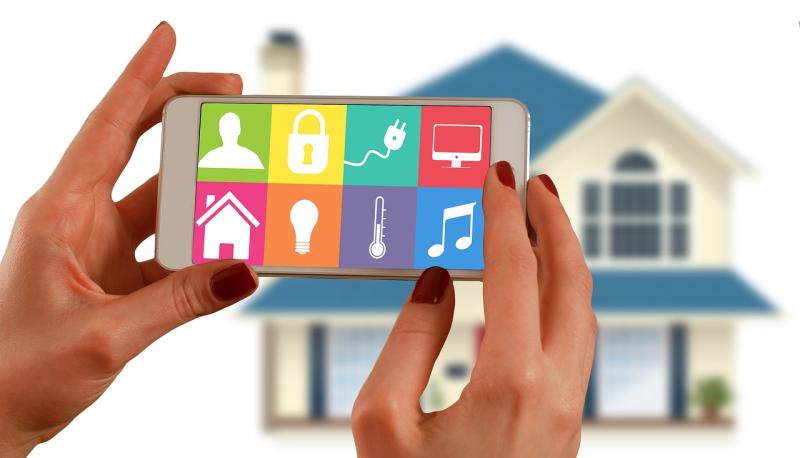
Once you’ve got your bulb in place, download the app that matches your brand of smart bulb. Most companies have their own app, like Philips Hue or Wyze. Grab your phone, search for the app in the app store, and install it. After that, follow the step-by-step instructions in the app. It usually involves creating an account and connecting your bulb to your Wi-Fi network.
Connecting to Wi-Fi is where the magic happens! Turn on the bulb, and the app will usually find it automatically. If it doesn't, you might need to put the bulb in pairing mode – just follow the instructions in the app. Once it’s connected, you can start controlling it right from your phone. Want to dim the lights or change colors? Easy peasy! Just tap a few buttons, and you’re good to go.
Lastly, don’t forget to explore the cool features the app offers. Many apps let you set schedules, create scenes, or even control your bulbs with your voice if you have a smart assistant like Alexa or Google Home. Setting up smart bulbs not only makes your home smarter but also lets you enjoy lighting that's tailored to your vibe at any time.
Benefits of Using Wifi Smart Bulbs
WiFi smart bulbs are a game changer for your home lighting. Imagine controlling your lights with just your voice or a tap on your phone! These bulbs connect to your home’s Wi-Fi network, making it super easy to adjust the brightness or color from anywhere. No more fumbling for switches in the dark.
One of the best benefits is energy efficiency. Many smart bulbs use LED technology, which consumes less power compared to traditional bulbs. You can save on your electricity bills while enjoying the freedom of controlling your lights remotely. It's a win-win!
Customization is another cool feature. With WiFi smart bulbs, you can set schedules for when your lights turn on and off. Want a welcoming glow when you arrive home? Just schedule it! You can even create different scenes for various moods—a cozy movie night or a bright kitchen for cooking. It’s lighting that adapts to your lifestyle.
Security is also enhanced with smart bulbs. You can program them to mimic your presence at home, even when you’re away. This simple trick can deter potential intruders, giving you peace of mind whether you’re out for the evening or on vacation.
Finally, installation is a breeze! Just screw in the bulb, connect it to your Wi-Fi, and it’s ready to go. No complicated wiring. If you love tech and convenience, WiFi smart bulbs are an easy upgrade that can totally transform your space.